Use the capacity you already have.
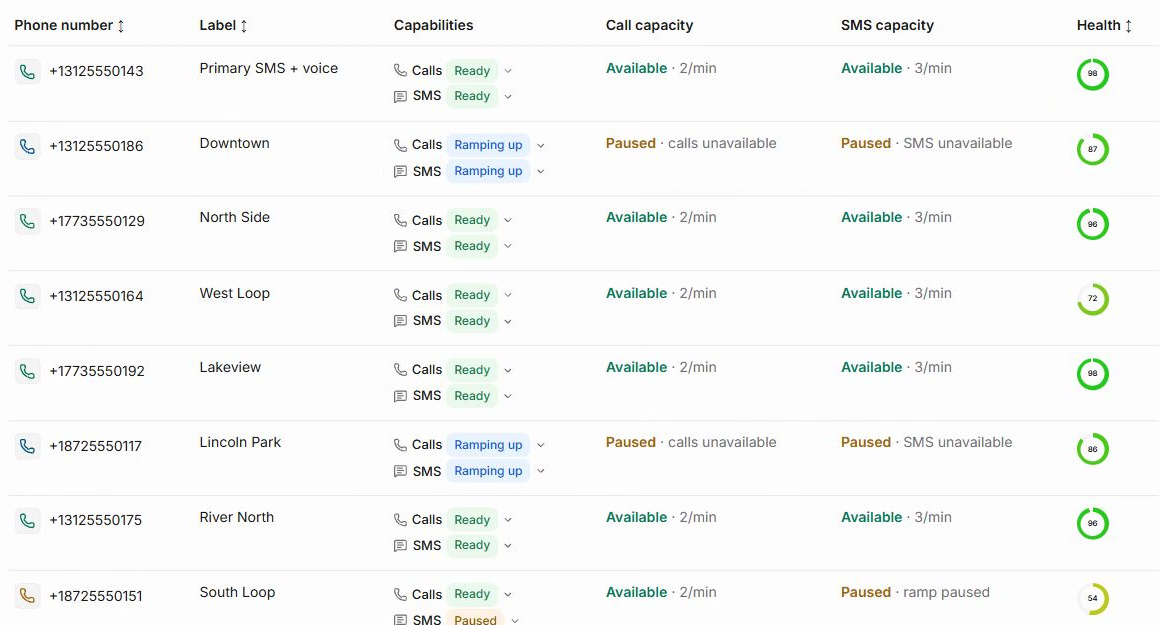
Leadping checks the live capacity of every eligible number before a call or text moves.
Call and text every new lead without burning the numbers your business depends on. Leadping keeps conversations, automations, and sender health in one place.

As volume grows, one default caller ID takes the load. Capacity runs out, callbacks lose continuity, and good calls can start looking like spam. Leadping distributes outreach before that happens.
Leadping checks the live capacity of every eligible number before a call or text moves.
When a lead calls back or replies, Leadping keeps the conversation on a number they recognize whenever it is still eligible.
Fast follow-up only matters when an eligible number is ready to reach the lead.
Capture leads from your CRM, forms, scheduling, and consent tools. Route updates and next steps without rebuilding the systems your team already uses.
HighLevel
Pipedrive
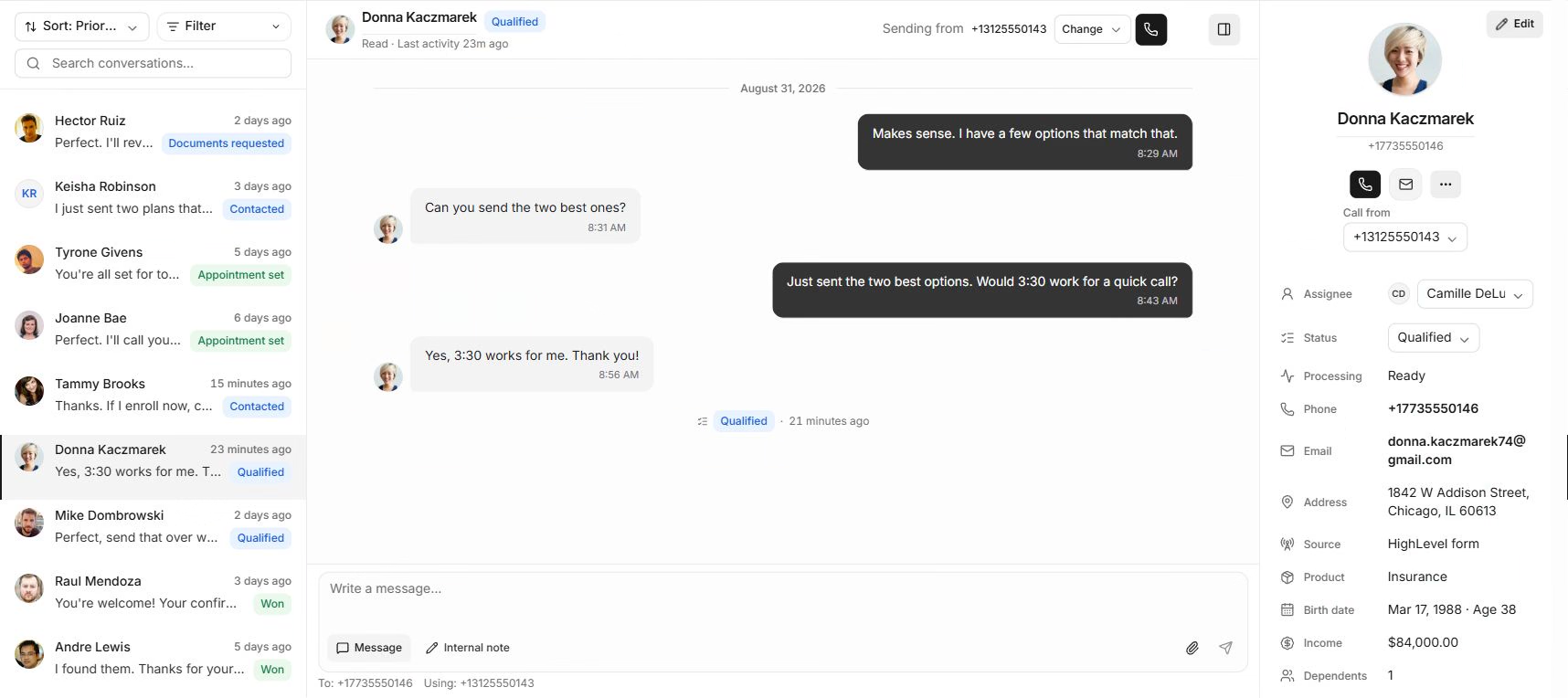
ActiveProspectNew leads arrive with their source, owner, last activity, and next step already visible. Replies and requested calls rise to the top.
Read the thread, call back, assign an owner, add a note, set the outcome, and schedule the next touch without changing tools.
Separate new replies from scheduled follow-up and see the owner before opening the conversation.
Source, calls, texts, notes, outcomes, and the next action stay with the lead.
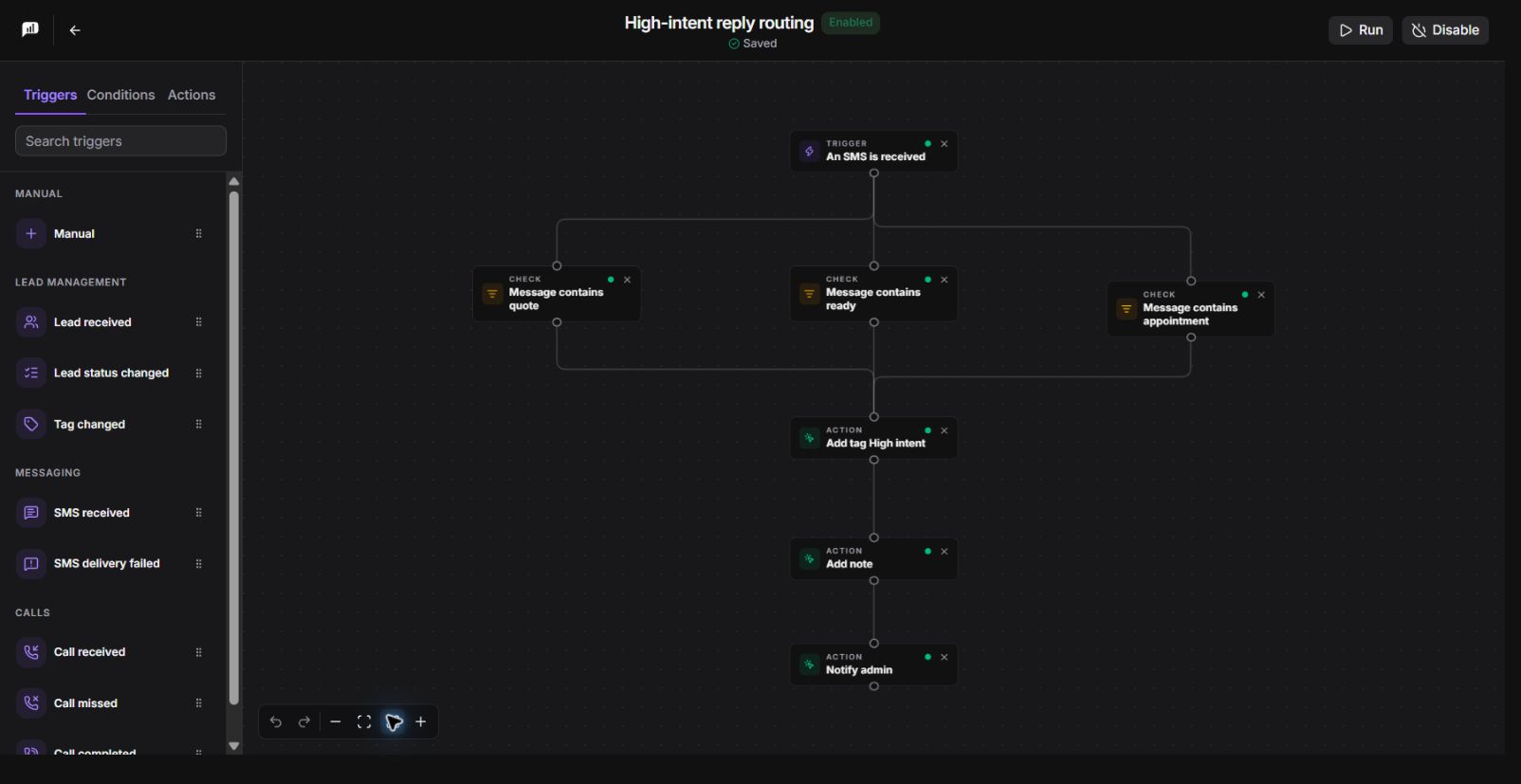
Send the first text, wait for a reply, place a call, update the lead, or hand it to a person. Every step uses the same contact rules and number capacity.

Start when a lead arrives. Text, wait, call, assign an owner, or stop as soon as the lead replies.
Follow the message, selected sender, status change, reply, and canceled work as they happen.
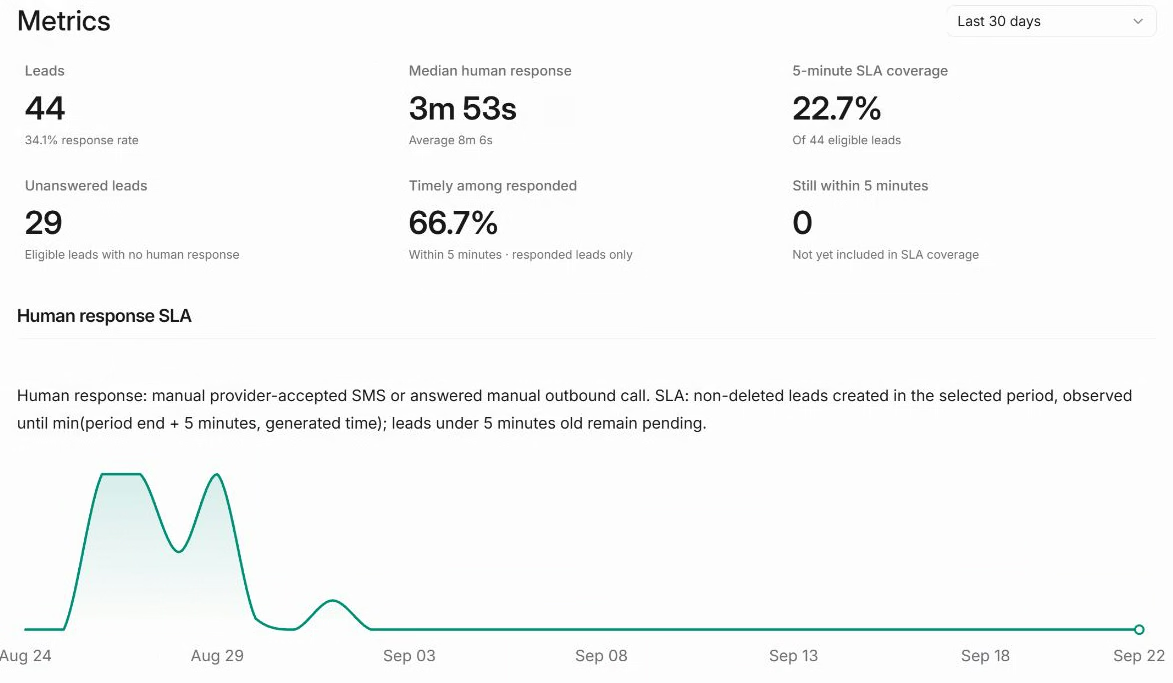
Track response time, unanswered leads, call and text outcomes, and automation failures. See where follow-up works—and where revenue is leaking.

Leadping checks contact rules, sender readiness, and live capacity before every call or text. It sends now, schedules for later, or stops—and tells you why.
Traffic orchestration
Number readiness · channel capacity · pacingKeep a new or restricted caller ID out of normal traffic until it is active, configured for voice, and ready for the workload you want to send through it.
Track calling capacity for every number by minute, hour, and day. Leadping reserves that capacity first, so concurrent automations cannot spend the same availability twice.
Count manual and automated contact attempts together. When a lead reaches the frequency limit, the next call waits or stops instead of slipping through another workflow.
Choose only from numbers your organization owns that support voice, are not restricted, and still have capacity for the requested activity.
Reuse the number already attached to the conversation whenever it remains eligible. The lead sees a caller ID they recognize, and replies return to the same thread.
Do not force every automation through one default caller ID. Leadping evaluates the pool for each activity and routes only to eligible numbers with room.
Check Do Not Call requests, opt-outs, wrong-number reports, and organization suppressions before provider submission—not after another unwanted attempt.
Evaluate the lead’s local time and your calling window. If the call is too early or too late, schedule it for the next valid release instead of attempting it now.
Open the activity to inspect the selected caller ID, reserved capacity, release time, provider result, and the exact rule behind a delay or block.
Open any activity to see the lead, channel, sender, capacity, contact checks, scheduled time, and provider result.
See which caller ID or SMS number was used and why it was eligible.
See the active limit, remaining room, and scheduled release time.
See the exact rule that allowed, delayed, or stopped the activity.

Calls, texts, automations, sender setup, and API access in one focused platform.
Keep SMS conversations, replies, opt-outs, and lead context together.
Explore messagingPlace and track calls after number eligibility, capacity, and contact rules are checked.
Explore callingBuild follow-up that reacts to replies, outcomes, timing, and sender readiness.
Explore automationsSee readiness, restrictions, pacing, and remaining call and SMS capacity.
Explore number healthPrepare brands, campaigns, senders, and approval state for production messaging.
Explore 10DLCConnect lead sources and communication workflows through the Leadping API.
Explore the APIBring in a lead, send the first response, and keep every call and text on healthy infrastructure.