Call in your browser.
Start a call from the lead's profile without copying a phone number into another dialer. Mute, use the keypad, adjust the volume, and end the call from the floating call window.
Call directly from the inbox with the inquiry, text exchange, and lead details in front of you. Leadping handles the contact checks and keeps the call outcome with the lead, so your team can focus on the conversation.
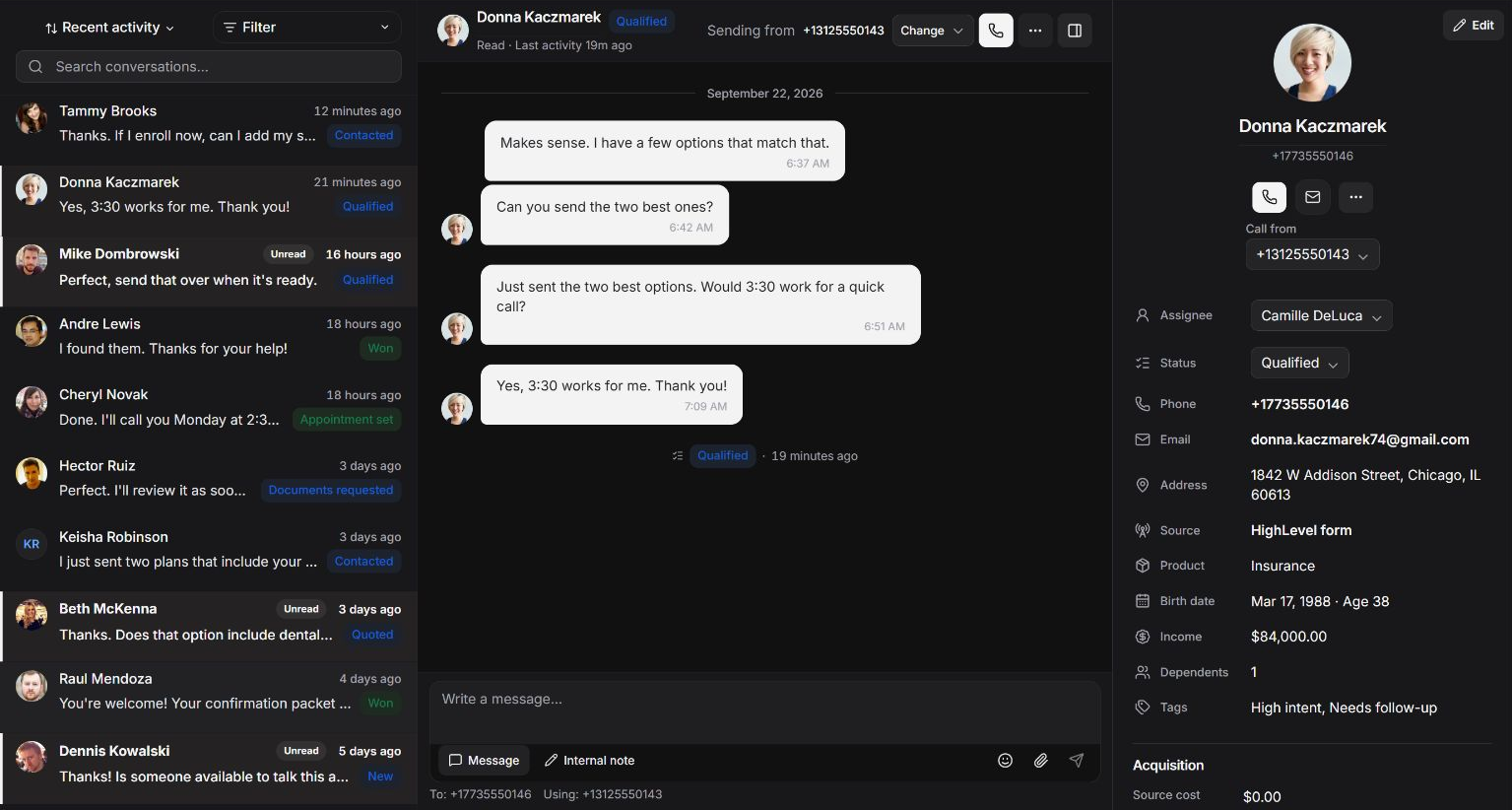
A reply raises a question. A prospect asks to talk. Start the call from the same workspace where your team is already following up.
Start a call from the lead's profile without copying a phone number into another dialer. Mute, use the keypad, adjust the volume, and end the call from the floating call window.
Read the inquiry, source, campaign, and recent messages before dialing. Answer the question they already asked instead of making them repeat their request.
Leadping finds eligible calling numbers and shows the selected sender. When more than one is available, your team can choose the number before starting the call.
Add an internal note, update the lead's status, and assign an owner in the inbox. The next teammate can see the conversation and the follow-up you agreed to.
Completed, busy, no answer, and failed calls need different follow-up. Leadping records the status, number, and duration with the lead so your team can act on what actually happened.
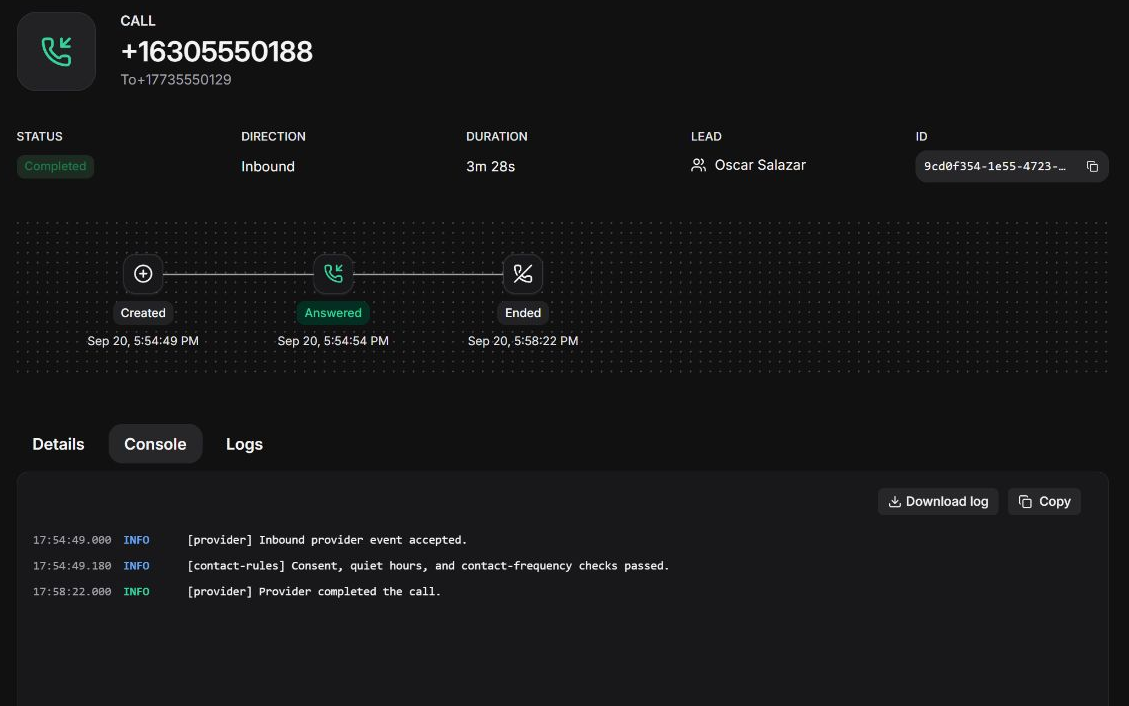
Follow queued, ringing, active, and final call states. The lead's activity stream updates as call status changes, keeping your team informed without a separate call log.
A busy line is different from a contact restriction or a provider failure. Open the call to inspect its status and processing details before deciding whether to try again.
Review the selected sender, lifecycle, processing console, and related logs from the call record. Trace the attempt back to the person your team was trying to reach.
Before an attempt reaches the provider, Leadping checks whether the lead can be contacted and whether the sending number is ready. Those checks apply to manual and automated calls.
Leadping checks Do Not Call requests, wrong-number reports, and organization suppressions before another attempt. Contact restrictions stay with the lead across teammates and workflows.
Leadping evaluates local contact time before releasing a call. When the window is closed, eligible work can wait until the next allowed time.
Leadping counts contact attempts across manual and automated outreach. Separate workflows share frequency limits instead of each treating the lead as a fresh contact.
Leadping checks voice readiness, number restrictions, and available calling capacity. Work is delayed or blocked when a number cannot take another call, with the reason available for review.
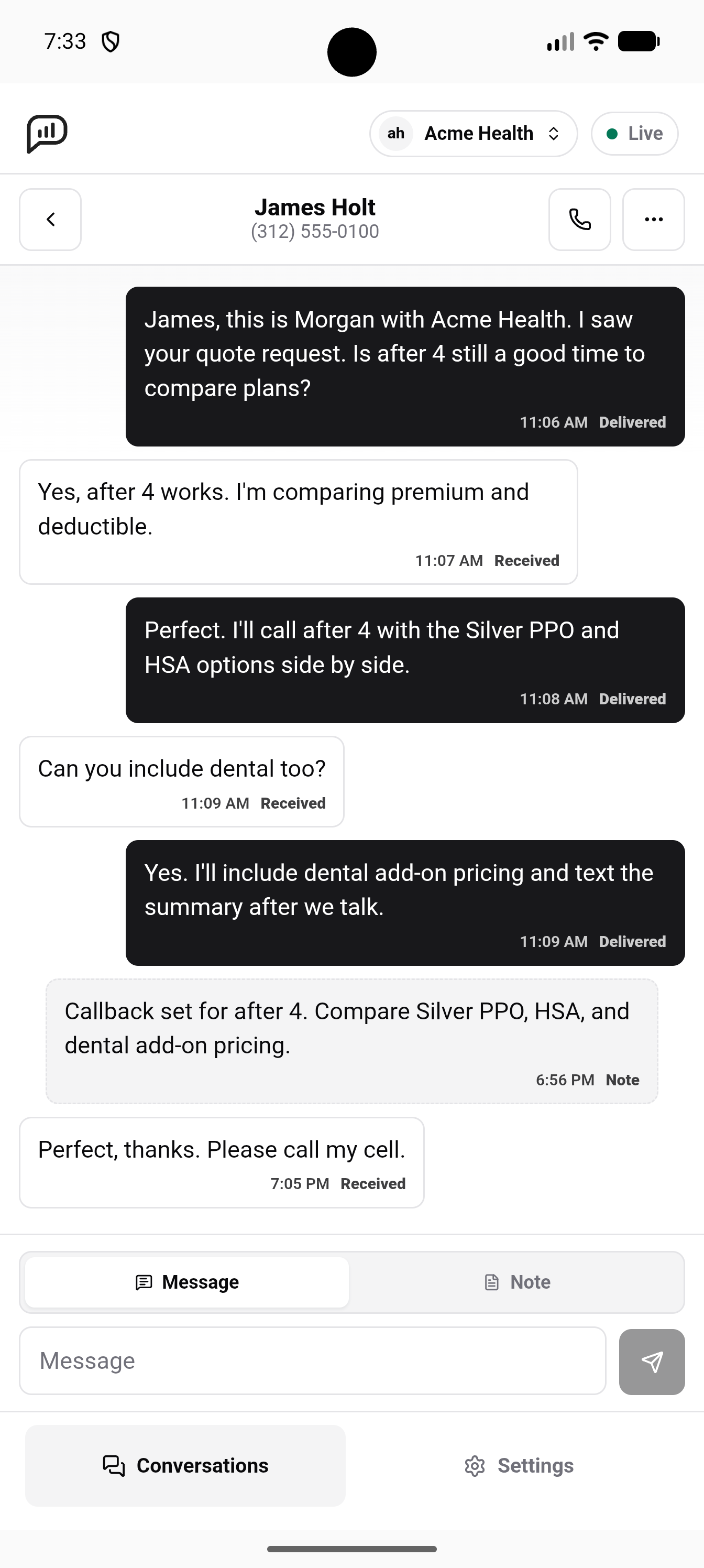
Away from your desk when a lead replies? Open the mobile app, read the exchange, and start the call from the conversation.
Messages and internal notes stay beside the lead. Check what they asked for and what your team promised before you call.
Send a follow-up text or add a note from your phone so the conversation can continue when you're back at your desk.

Start calls from the inbox, an automation, or your own application. Keep each attempt connected to the same lead instead of maintaining a separate calling history in every tool.
Use a call action alongside conditions, delays, texts, and lead updates. Choose where a call belongs in the follow-up instead of forcing every lead through the same sequence.
Use the API or an SDK to request a call with the lead and sending context. Your application can initiate outreach while Leadping applies the same contact and number checks.
Return to the inbox to send a text or leave a note after the attempt. Calls and messages stay connected to the lead, giving the next interaction a useful starting point.
Bring your team's calls, texts, and lead history into one workspace, with contact safeguards built into every attempt.
© 2025–2026 Leadping LLC. All rights reserved.