Search across activity.
Find the event you need from one logs page. Narrow the view by category and date range to focus on the operation you are investigating.
Capture leads, send SMS and MMS, place calls, and run automations through one API. Keep your application and your team working from the same conversation history.
Choose TypeScript, Python, .NET, Go, PHP, or Java. Use typed request models from the published OpenAPI contract and see the same SMS operation in each language.
outreach.ts
Leadping SDK
Examples use an initialized, authenticated client and an existing conversation. See the API reference for client setup and request fields.
Choose a step to see the request in your language. Capture an inquiry, start a conversation, and run the follow-up your team needs.
capture.ts
Leadping SDK
Use the logs page to search activity and filter leads, messages, calls, automations, and connections. Follow an event back to the record that needs attention.
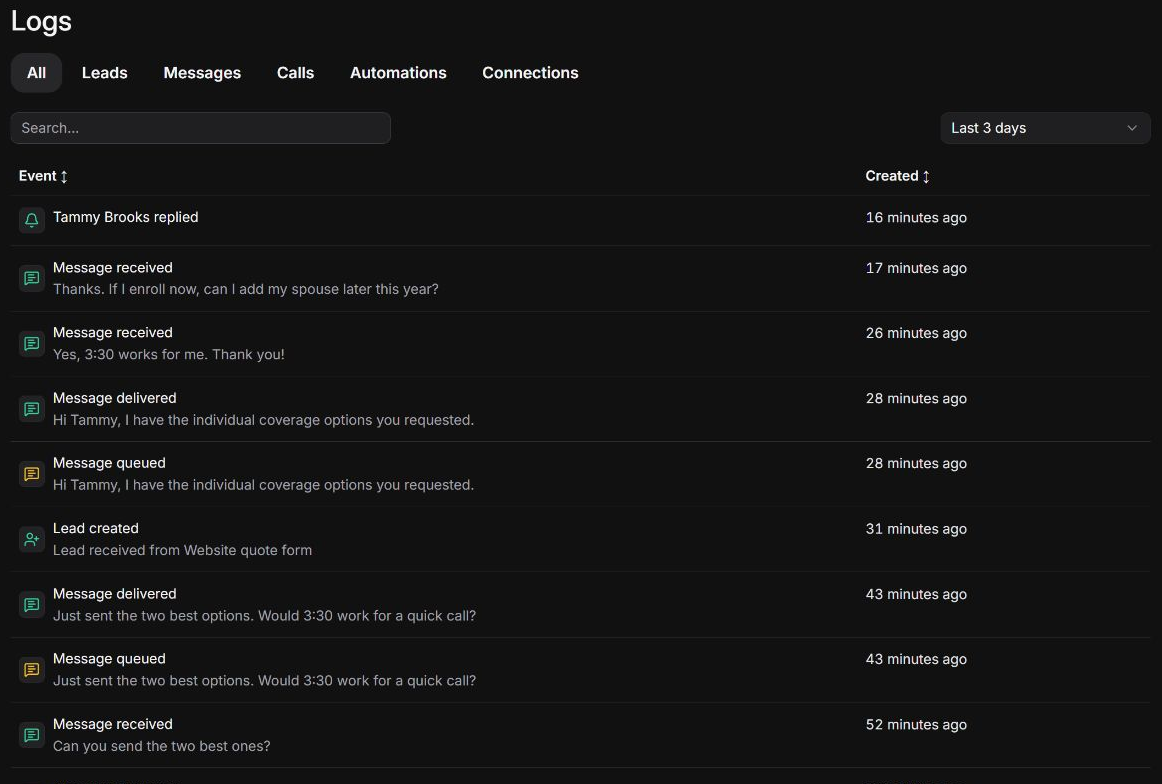
Find the event you need from one logs page. Narrow the view by category and date range to focus on the operation you are investigating.
See event summaries, statuses, and timestamps together. Distinguish completed work from queued activity or a failure that needs attention.
Follow the event to its lead, message, call, or automation record to investigate the details without starting your search again.
Your integration needs to work beyond the first successful request. Leadping manages the contact checks and keeps outreach connected to the people who follow through.
One request stays connected to the lead, the communication activity, and the team following through.
Supply an outbound idempotency key for each logical SMS send and reuse it when retrying that request. Leadping can recognize a duplicate delivery attempt when a timeout leaves your application uncertain about the result.
Set the scheduled send time when a text should go out later. Leadping retains the conversation and source context, with contact checks still applied before release.
Leadping automatically checks recorded opt-outs, suppressions, local contact windows, contact frequency, and sender capacity before calls and texts reach the provider. Your integration does not have to coordinate those checks across every workflow.
Messages and calls created through the API stay with the lead in the shared workspace. Teammates can review the history, see the owner, add notes, and respond without piecing together context from your application.
Get help with the integration, see the status of our services, and review how we handle customer data. The information you need to work with Leadping should be easy to find.
24/7 chat. Get help with SDK setup, source authentication, request failures, and delivery questions as you build and operate your integration.
Bring the workflow you are trying to connect or the issue you are investigating. We can help you work through the next step.
Talk with our teamCheck service availability and published incident updates when you need to understand what is happening with Leadping.
Use the status page alongside your request results and activity logs to distinguish an integration issue from a service disruption.
View service statusCommitted to the security and privacy of customer data, Leadping is GDPR and HIPAA compliant.
Review our privacy policy, Business Associate Agreement, and subprocessors as part of your organization's assessment.
Connect the inquiry, the first message, and the follow-up. Start building with an SDK, or talk with our team about the integration you have in mind.
© 2025–2026 Leadping LLC. All rights reserved.