Find the conversations that need you.
Filter conversations by needs attention, waiting, or failed delivery. Focus on leads waiting for a response and messages that need review.
Work replies, send follow-up texts, and call leads from one shared inbox. Keep the owner, lead details, internal notes, and delivery status beside the conversation.
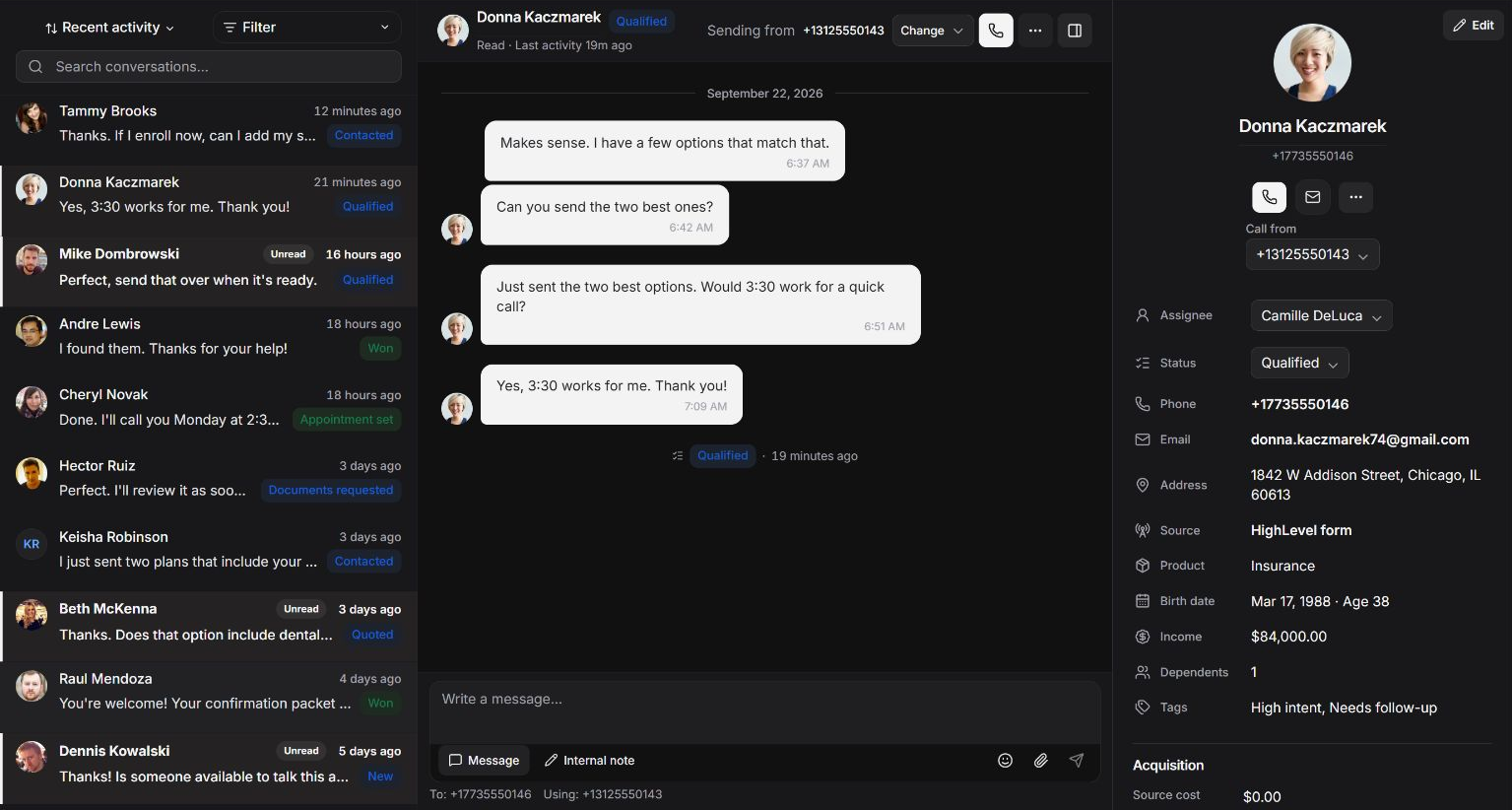
See which conversations need attention and who is responsible for following up.
Filter conversations by needs attention, waiting, or failed delivery. Focus on leads waiting for a response and messages that need review.
Assign an owner and change the lead status from the inbox. Make responsibility visible as leads move from new inquiry to active conversation.
See source, campaign, contact details, and conversation history while responding. Tailor the answer to the inquiry that brought the lead to your team.
The work around a text matters just as much as the message itself.
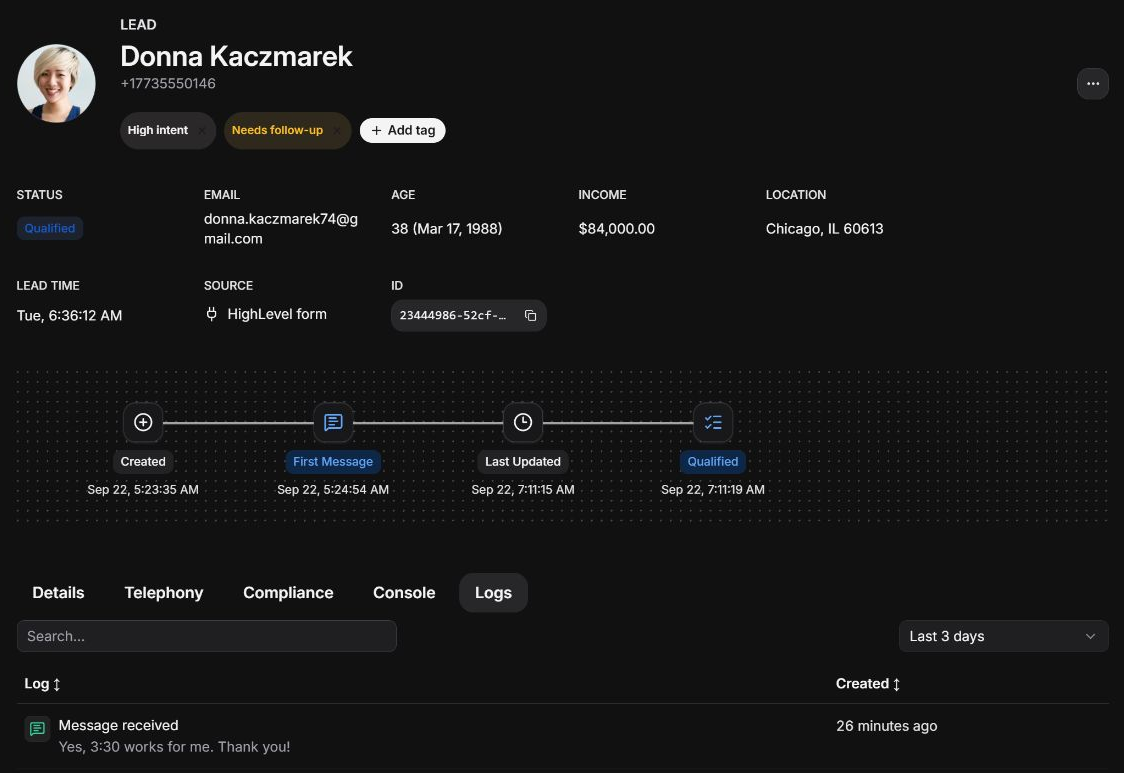
Start a call with the lead details in view. Your teammate can read the text exchange before continuing the conversation by phone.
Add internal notes to the lead timeline. Record the question, commitment, or next step so the next person can follow through.
Attach media in the composer when MMS is available. Share the image or supporting detail that makes the next reply more useful.
Follow-up SMS uses the number assigned to the lead’s conversation. See the sender in the workspace so your team knows which number the lead recognizes.
A queued text and a delivered text need different follow-up. Inspect the message status and event history before deciding what to do next.
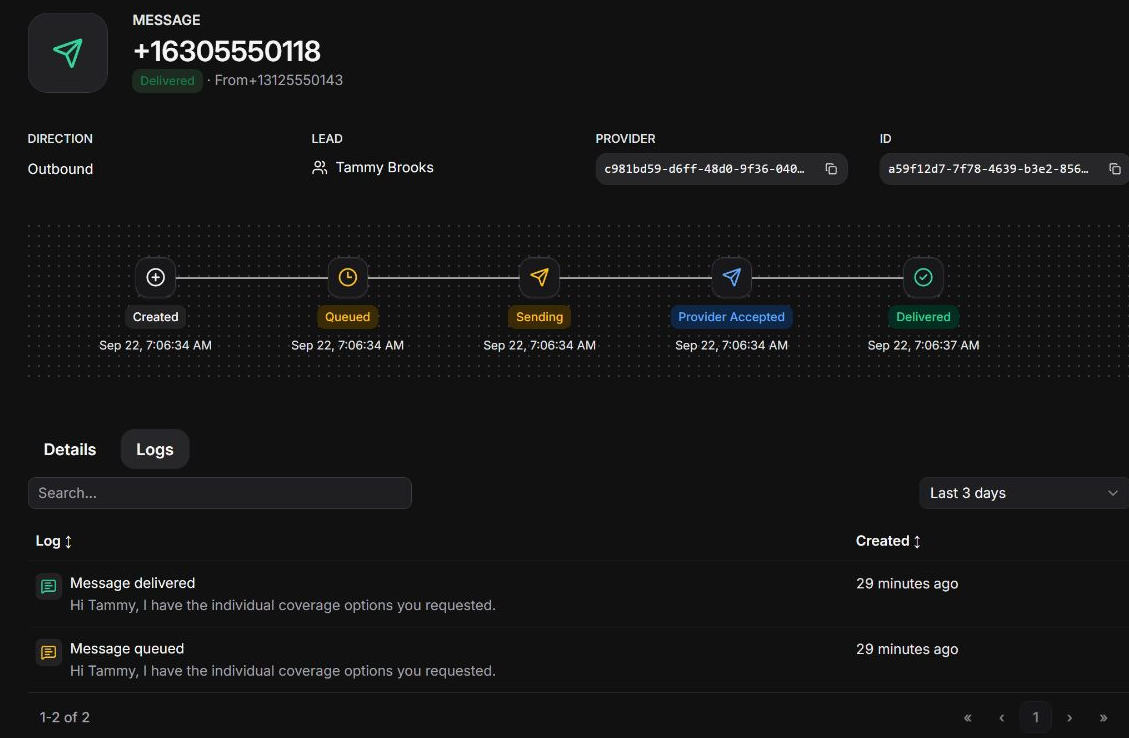
Track queued, provider-accepted, delivered, and failed states. See whether a text is still moving through delivery or needs attention.
Open a message to inspect the sending number, recipient, provider events, and failure details alongside the lead it belongs to.
Leadping checks incoming and outgoing MMS attachments for viruses before releasing them. Attachments are withheld when a clean scan cannot be confirmed.
Leadping checks outgoing texts for spam patterns and prohibited content before submitting them to the messaging provider. Messages that fail these checks are blocked before carrier submission.
Messages pass through opt-out and suppression checks, contact windows, and sender capacity controls before release.
Automated outreach and personal replies belong to the same lead history.
Use a lead-received trigger to send a personalized first text. The outbound message stays with the lead for your team to review.
Use an SMS-received trigger and message conditions to update a lead, add a note, or notify a teammate when a reply arrives.
Send messages through the API and read their outcomes. Your custom workflow and the shared inbox work with the same lead and conversation records.
Bring your lead sources and team together in a shared inbox built for follow-up.
© 2025–2026 Leadping LLC. All rights reserved.