HubSpot
Build follow-up that takes the right path.
Connect the lead flow you already use. Automate follow-up, send dispositions back to your systems, and keep your CRM and team informed as each lead progresses.
Fits your existing lead flow
Keep your stack. Connect the follow-up.
Your leads already have a route from an inquiry to your team. Add Leadping to that flow through source integrations, the API, and webhooks, then send the results back to the tools your business runs on.
HubSpot Pipedrive
 Zoho CRM
 Zapier
 monday.com
 Slack
Slack Microsoft Teams
Start where your leads already arrive.
Keep your forms, lead providers, and existing intake process. Bring leads into Leadping through a connected source or the API, then start an automation when the lead arrives.
Send dispositions back to other systems.
Trigger a workflow when a lead's status changes and send the disposition through an HTTPS request or Zapier webhook. Map Leadping's status to the values your CRM, lead partner, or reporting system expects.
Put lead details into your CRM.
Use built-in actions for HubSpot, Ringy, Zoho, and Pipedrive to pass lead information into connected accounts. Choose the destination and supported fields in the workflow.
Continue workflows in Zapier or your own app.
Trigger a Zapier webhook or call a public HTTPS endpoint with a custom payload. Pass lead details and status into the next system so a Leadping event can start the next part of your process.
Notify the team where they already work.
Send Slack or Microsoft Teams messages when a lead needs attention. Create or update a monday.com item to move the follow-up into your team's existing work queue.
Choose what goes out and when.
Use source, status, tags, and other lead conditions to decide which updates reach each destination. Include supported lead variables in webhook payloads and inspect the action result in the run history.
Triggers + conditions
Start with the event. Act on the context.
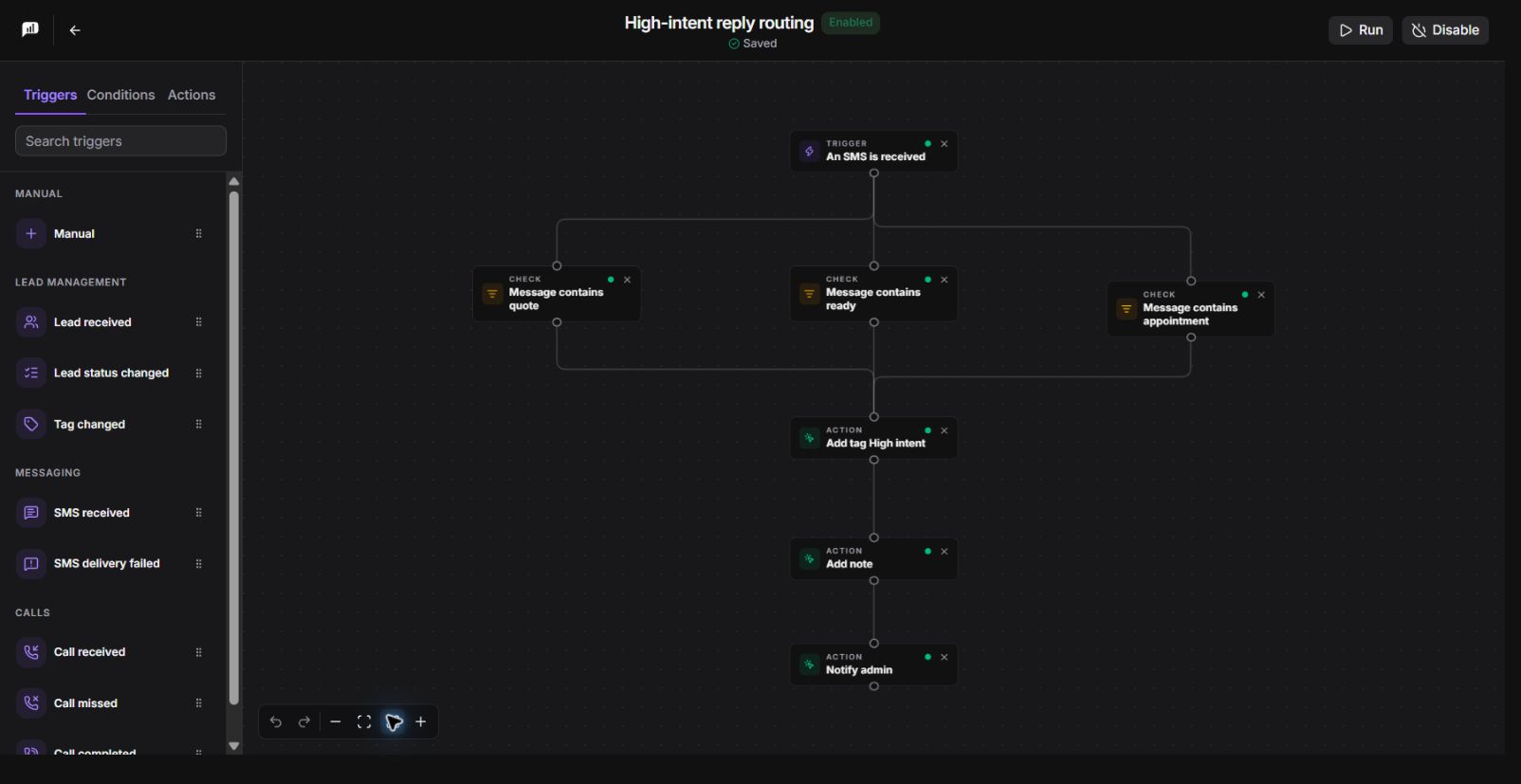
Create different workflows for a new inquiry, an incoming reply, or a missed call.
React to lead and conversation events.
Start from a new lead, status or tag change, inbound SMS, failed SMS delivery, or a call event. Pick the signal that should start the work.
Check the lead before acting.
Use conditions for lead fields, source, tags, state, ZIP code, or previous contact activity. Run follow-up for the leads that match your criteria.
Use the reply itself.
With an SMS-received trigger, check whether the incoming message contains specific text. Use the match to update the lead or alert the team.
Visual builder
Make room for more than one follow-up approach.
Connect nodes on a visual canvas and see the paths before you enable the workflow. Validation catches missing action settings and invalid connections while you build.
Choose weighted branches.
Split runs between paths with the weights you configure. Send one group down a short follow-up path and another through a different message and delay.
Personalize each message.
Insert lead and organization variables into supported fields. Add random text variants to SMS copy so a workflow can choose between several phrasings.
Control the wait.
Add a fixed delay or a random wait within a range. Space actions across the workflow instead of firing every step at once.
Outreach + team handoffs
Do the follow-through around the conversation.
Combine outreach with the updates and notifications your team would otherwise have to remember.
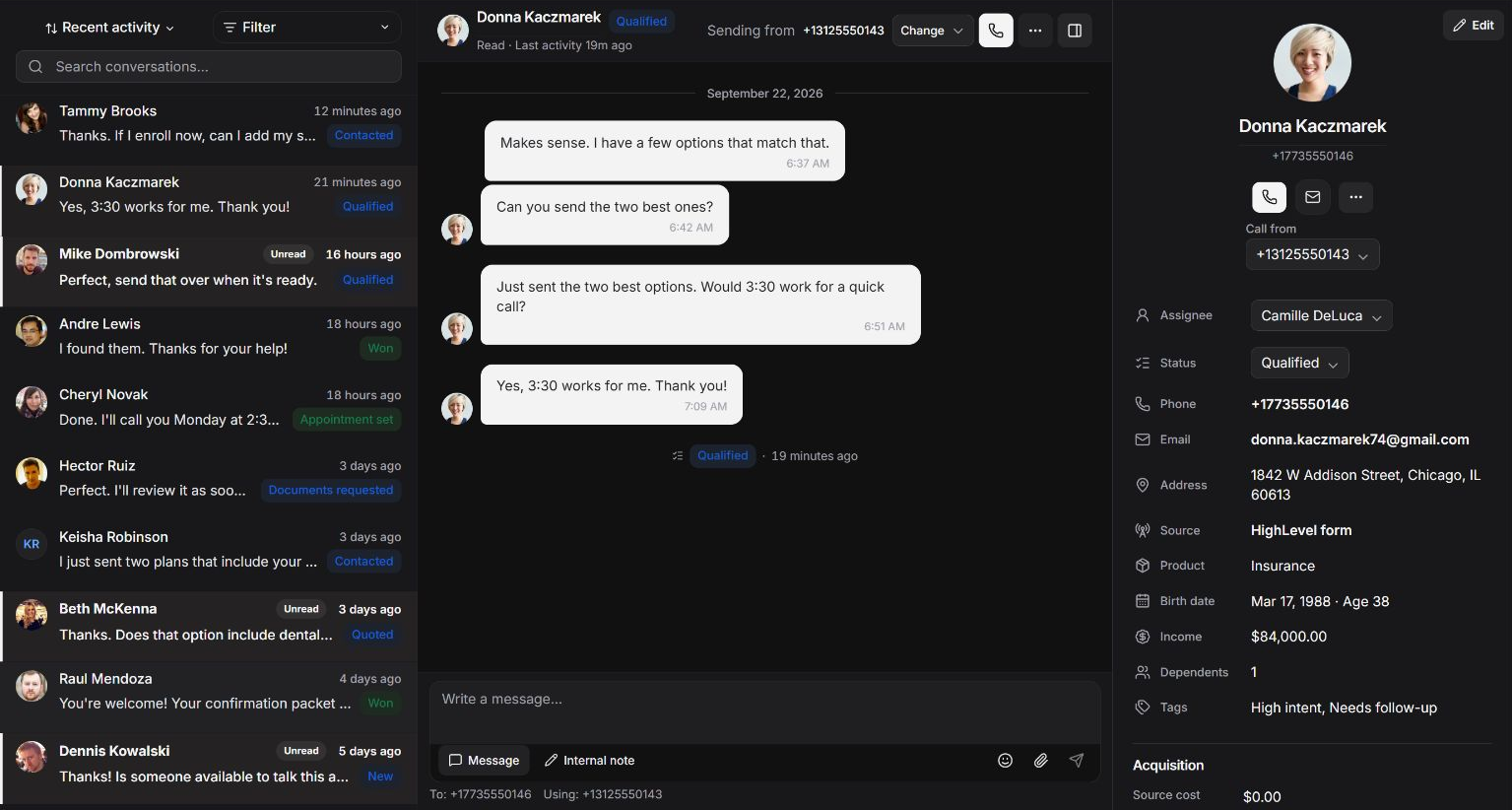
Call or text the lead.
Send SMS from the conversation’s assigned number or start a call when voice is available. Communication actions use Leadping’s contact and sender controls.
Make the handoff explicit.
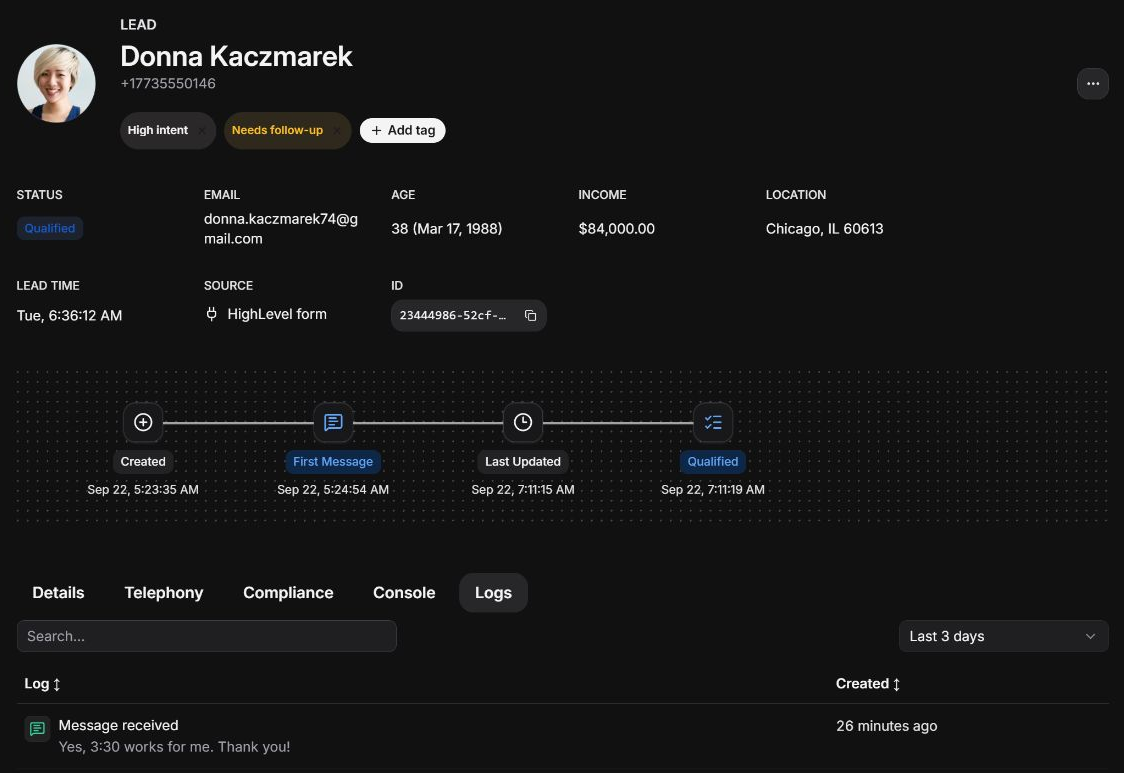
Assign the lead to a user, update status or tags, and add an internal note. Give the next teammate both responsibility and the context to act.
Alert the people who should respond.
Send an admin notification or a message to an organization user by SMS or email. Include supported variables such as the lead name and link.
Execution history
Open a run. See the steps that actually executed.
Follow a specific execution from its trigger through its completed steps or error.
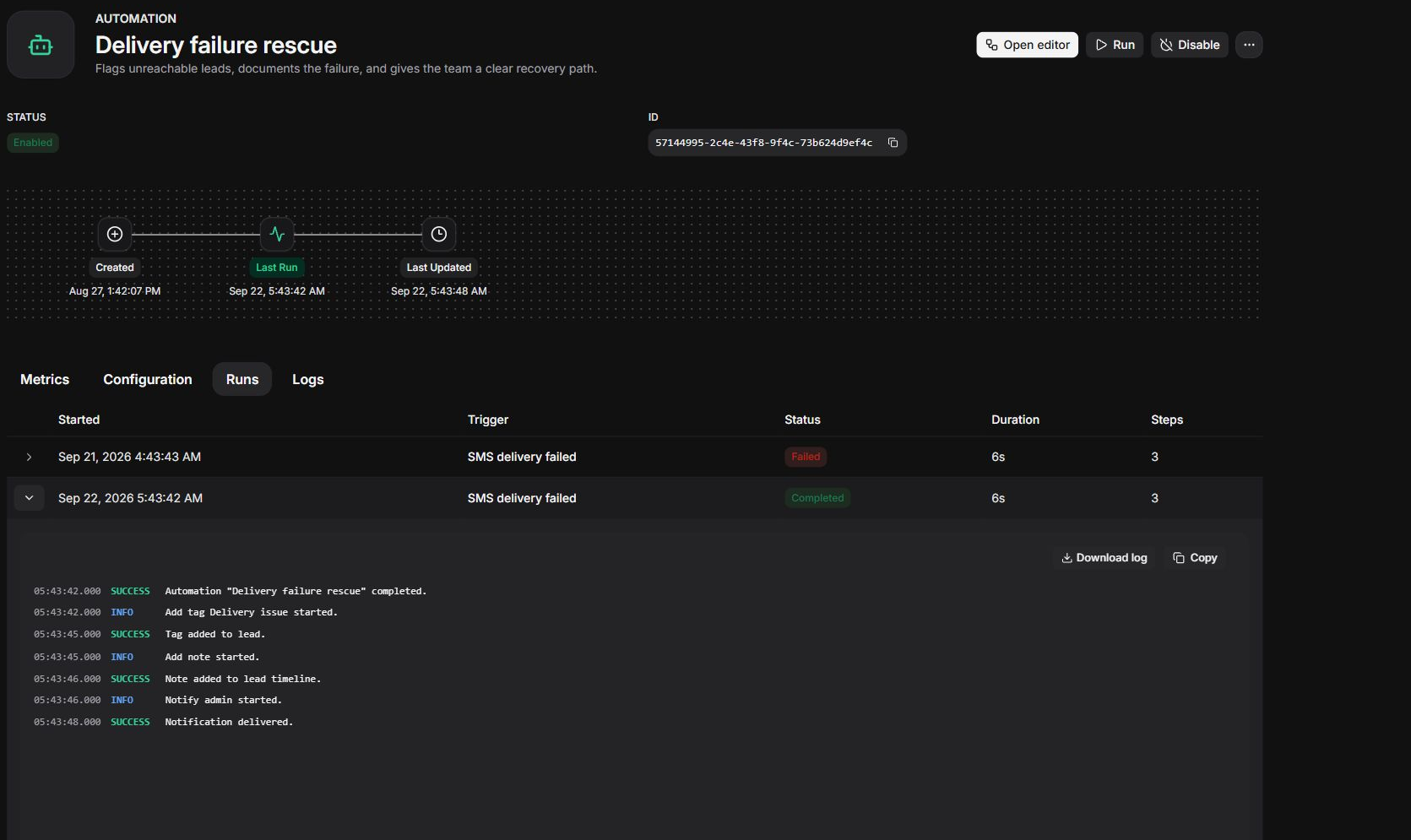
Inspect the run status.
See whether a run completed or failed, when it started, and how long it took. Open the execution you need to investigate.
Find the step that needs attention.
Review node results and errors in execution order. Trace a problem back to the action that failed.
Connect the run to the lead.
Keep automation activity on the lead record alongside calls, messages, and notes so your team can see what already happened.
Connect the lead flow you already have this afternoon.
Bring leads into Leadping, automate the follow-up, and send dispositions and updates back to the systems your team uses.